
Version 1.1.2 · 27 September 2026
Melodex Studio 1.1.2
A cleaner studio that feels solid, and a session that keeps up with you.
This release is about how Melodex looks and how it holds up while you work. The interface is tighter, export finishes sooner, stems land more accurately, and the app uses the machine more carefully.
A more solid look
The studio interface reads more clearly, with spacing, type, and panels that sit together as one product.
Controls and surfaces are more consistent across the session, so the app feels finished instead of pieced together.
Interface fixes
A wide set of interface bugs is cleaned up: layout glitches, misaligned controls, and screens that did not hold their shape.
Everyday views stay put while you arrange, edit, and move between panels.
Faster export
Exporting a project finishes sooner.
You spend less time waiting on a bounce and more time back in the session.
More accurate stems
Stem separation follows the parts more closely.
Drums, bass, and the rest of the split come back cleaner, so each track is easier to keep editing.
Better performance
The session stays more responsive while you play, edit, and generate.
Overall performance is higher, and the app is lighter on system resources.
Same studio, steadier
Arrange, export, and keep going.
Melodex 1.1.2 is the same workstation, with a look you can trust and a machine that keeps up.
Version 1.1.1 · 26 September 2026
Melodex Studio 1.1.1
A much better way to turn an idea into an editable project.
This release is about making the AI side of Melodex actually useful inside a DAW. Generate something, open it up, edit it, and keep working.
Better Piano Roll
The piano roll has a bar ruler, zoom that stays anchored where you are looking, and snap that follows the grid.
Clicking empty space clears the selection instead of dropping a note you did not mean to add.
MIDI stays editable after it lands, so you can keep working on the part in the project.
Generate stems
Generate a song and bring the parts in as six separate tracks.
Drums, bass, piano, guitar, vocals, and other each get their own track.
The tracks sit in the project, ready to mute, move, and keep editing.
AI song generation
Generate a complete song from the composer and bring it into the project.
Use it when you want a full piece, then keep arranging from there.
Better MIDI generation
MIDI mode generates musical parts directly inside Melodex.
The result stays MIDI, so you can keep editing it in the piano roll.
AI MIDI editing
Ask for a change in plain language instead of doing every small edit by hand.
Make the drums more energetic, add a piano part, change the bass, add a sitar, or reshape a section.
The edit stays on the project you already have.
Songs with vocals
WAV mode can generate a full song with vocals.
Choose Instrument + Vocals, then bring the audio into the project.
WAV generation
Switch the composer from MIDI to WAV when you want audio instead of notes.
Instrument only, vocals, and stems are all audio results you can drop into the session.
One workflow
Generate, edit, arrange, produce.
Melodex is getting closer to a DAW where AI is part of the session, not a separate tool you have to leave for.
Version 1.1.0 · 20 September 2026
Melodex Studio 1.1
Melodex Studio 1.1 is the same studio, made faster and more accurate.
The timeline and piano roll are easier to work in. Login is reliable again. Generation is an order of magnitude better. Edits stay on the project you already have, instead of wandering off into a new one. Five new instruments, better sound, and a launch that does not make you wait.
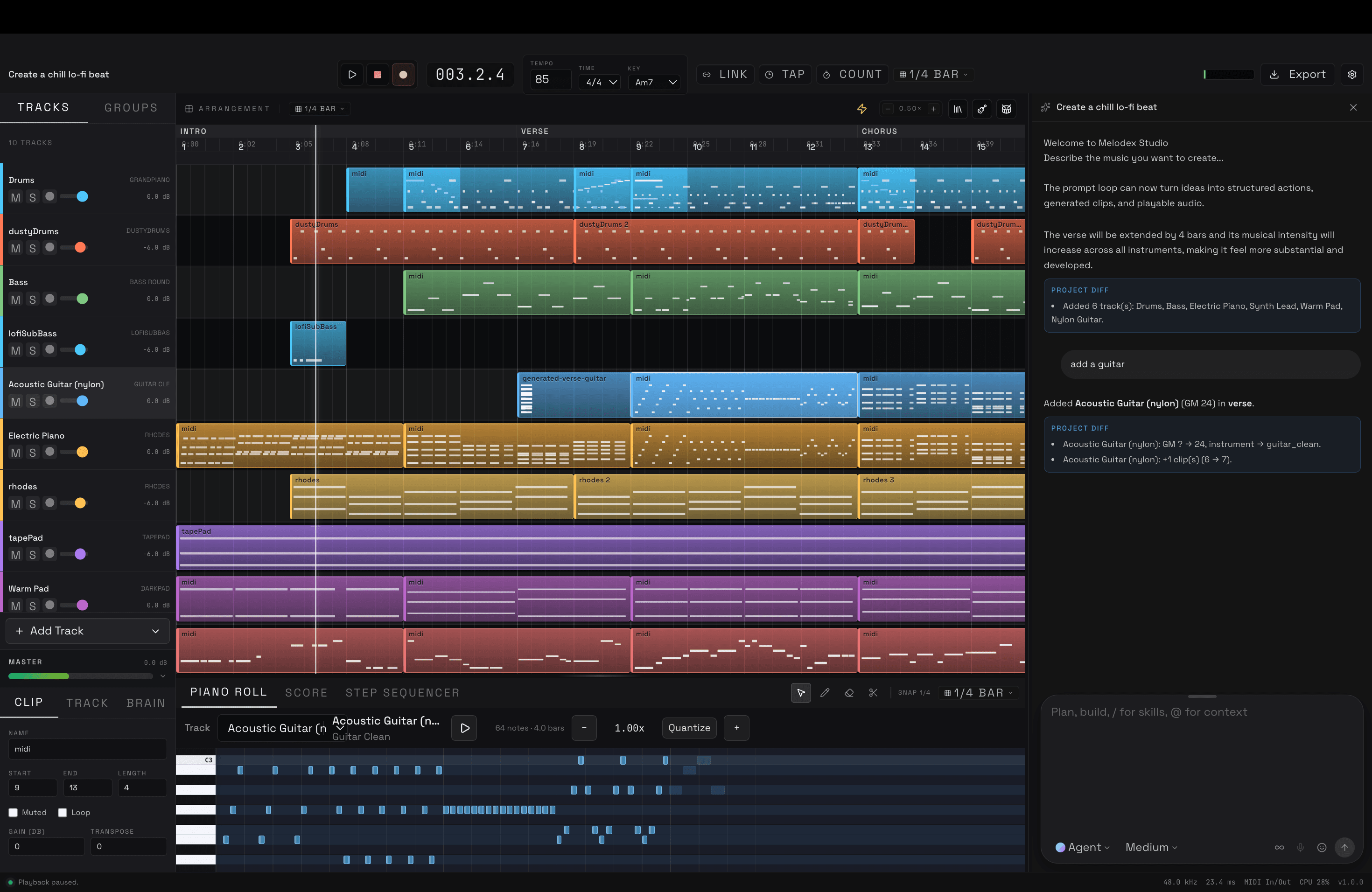
Timeline
Arrangement is clearer at a glance: sections, clips, and zoom behave more like a real session.
Snapping, loop, and clip moves land where you meant, including across time signatures.
Selecting and resizing clips is tighter, so you spend less time fixing the edit itself.
Piano roll
Notes are easier to see, select, and place.
Velocity, length, and grid edits follow the project meter instead of fighting it.
Auto Notes and melody work stay on the clip you are looking at.
Login
Sign-in is fixed end to end for the desktop app.
Cloud AI, projects, and entitlements pick up the session instead of dropping you back at the login wall.
Stay signed in across launches without repeating the dance.
Instruments
Five new instruments: studio grand piano, lo-fi kit, acoustic guitar, electric guitar, and string ensemble.
They sit on their own tracks, with MIDI you can still edit.
Mixes have more of the instrument and less of a generic GM stand-in.
Generation
Generation quality is up by 10x.
Arrangements come back more like a finished sketch: parts, sections, and roles in the right places.
Iterate on the same project. You should not have to start over to get something usable.
Editing
Language edits stay scoped to the project in front of you.
Chorus, verse, drop, one track, one clip: the change lands there, not on the whole song.
The model keeps key, harmony, rhythm, and instrumentation in view, so the edit still belongs to the piece.
Sound
Playback is cleaner, with tighter MIDI timing and less smear on stacked parts.
Instruments sit in the mix with more body and less generic MIDI sheen.
Master and track playback feel closer to what you will export.
Performance
Melodex loads faster on launch.
Overall latency is down: transport, generation, and UI respond quicker.
Large sessions use less waiting. Timeline, piano roll, and playback stay responsive.
Availability
Melodex Studio 1.1 is ready to download for macOS Apple Silicon and Windows x64.
If 1.0 got you a project you could edit, 1.1 is the version where that project is faster to open, clearer to shape, and closer to the music you asked for.
Version 1.0.0 · 31 August 2026
Melodex Studio 1.0
Melodex Studio 1.0 is the first version we call complete.
You describe music in words and get back a structured project with tracks, clips, notes, and sections, not a single audio file. Say what should change, hear it back, and keep going.
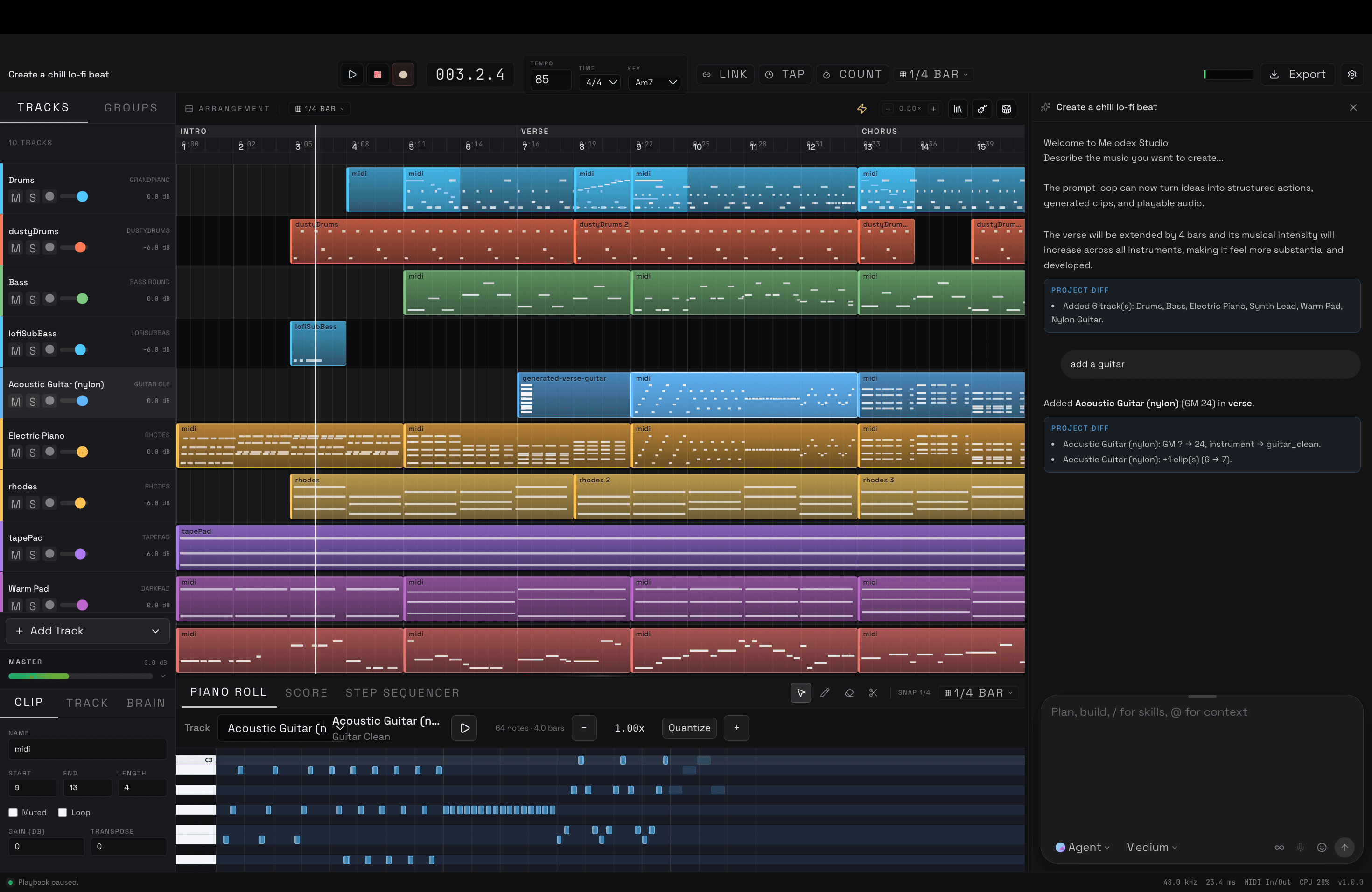
Generation
Start a full multitrack project from a prompt.
Name the genre, BPM, key, mood, instruments, and direction.
Arrangements come with drums, bass, harmony, melody, and effects in place.
Keep iterating on the same project in words. No need to start over.
Tansen
Tansen is the music model inside Melodex.
It works on the project itself, not on flat audio.
Edits stay aware of the harmony, rhythm, section, and instruments around them.
This is what every later model feature will build on.
Auto Notes
Finish an unfinished phrase in the piano roll from what is around it.
Suggestions follow the nearby notes, harmony, and rhythm.
Turn a half idea into something playable without entering every note by hand.
Melody
Ask for a melody from a prompt, or from the key, harmony, rhythm, mood, and section you already have.
It lands in the piano roll and stays editable.
Melodies live in the arrangement, not as loose audio clips.
Continue
Stretch a melody out from where it ends.
It keeps the feel, shape, and context of the original phrase.
Grow a short motif into a longer line: generate, listen, continue, edit.
Editing
Change music in words without replacing the whole project.
Point edits at a section: chorus, drop, verse, or one part.
Say things like:
- Make the chorus punchier.
- Make the melody more emotional.
- Add strings to the chorus.
- Make the drums less busy.
- Raise the energy of the drop.
Musical structure
The model follows key, chords, scale, tempo, meter, section, instruments, energy, and rhythm.
Chord, melody, motif, groove, and orchestration systems got a full pass.
Guitar and tabla now behave like themselves, not generic MIDI.
Studio
Multitrack projects with separate instrument tracks and MIDI clips.
Timeline with sections, snapping, zoom, and loop.
Piano roll and drum editing.
Volume, pan, mute, and solo per track.
The project file is what the model reads and writes, so nothing gets lost between you and it.
Playback
MIDI timing stays tight across tracks.
SoundFont playback for electronic and Indian classical instruments.
Handles tempo changes and long sessions better, with less memory on big projects.
Mix
Effects per track plus a master bus.
Model-assisted mix passes when you want a second opinion.
Lo-fi mode: vinyl crackle, tape warmth, pitch drift.
Nothing is destructive. You can always back out.
Import
Drop WAV and MP3 into a project.
Audio lines up to your project tempo.
BPM and key detection, audio-to-MIDI, and stem split for drums, bass, vocals, and other.
Recorded parts and generated parts can share one session.
Export
Mix down to WAV or MP3.
Stems per track.
Offline render when you want it faster than realtime.
Stems open in any major DAW.
Projects
Native `.musicproj` format.
Save, load, undo, redo, and version history.
Timeline settings stick around. Missing assets can be recovered.
Security
OAuth 2.0 with PKCE, plus magic-link fallback.
Stay logged in across devices.
The model checks its actions before touching your project.
Tougher project-file handling and cleaner errors around playback and render.
Desktop
Electron app for macOS and Windows.
Better multi-monitor and audio-device handling.
Fixed the annoying keyboard clashes. Timeline navigation is quicker.
Performance
Faster, more accurate note completion.
Quicker project load and timeline response.
Less memory on large sessions. Generation and render feel tighter.
Availability
This is the first version we consider done: a model that reads the project, a studio you can edit, and a file you can take somewhere else.
The question from day one was simple. What if making music worked like a good coding environment. You state the intent, the system makes the change, you keep going.
That is what is shipping today.